
USA, Apr 21, 2026
Microsoft Copilot, introduced in 2023, has already been integrated with the core office products employees use every day, like Word, Excel, PowerPoint, and Outlook. Since that time, its growth has increased 160% year over year, with Microsoft 365 Copilot reaching 15 million paid seats. At Microsoft Build 2025, it was announced that Copilot would be embedded across the Microsoft ecosystem, so companies can expect to see more Copilot agents across their product suites.
For organizations already using Microsoft's modern work stack, this continued investment in Copilot only means greater productivity and efficiency anywhere agents are deployed, from customer service to IT to sales.
Copilot Across the Microsoft Modern Work Portfolio

Copilot is woven into the tools workers already use, which is why it feels so practical and seamless. Instead of creating an entirely new software stack or user experience, Copilot works within the existing Modern Work portfolio to enhance productivity, collaboration, and knowledge management with user-friendly AI agents and workflows.
Productivity
Copilot improves day-to-day productivity by helping employees create, refine, and complete work faster inside familiar apps.
In Word, Excel, PowerPoint, and Outlook, Copilot can:
- Draft, rewrite, and summarize content
- Analyze data, surface patterns, and help turn raw information into usable insights
- Build presentations from existing files and prompts
- Reduce inbox friction by summarizing long threads, suggesting replies, and helping users stay focused
By automating routine, tedious tasks, Copilot helps employees take back their time and focus on more valuable business work.
Collaboration
Copilot makes meetings, conversations, and shared work more structured and easier to act on.
In Teams, for instance, Copilot can summarize discussions in real time, capture decisions and action items, and help teams stay aligned even when participants join late or miss a meeting.
That means less time spent reconstructing conversations and more time moving work forward with shared context.
Knowledge
Copilot also improves how organizations access and use knowledge by connecting people to the information already stored across Microsoft 365.
Through tools such as SharePoint and OneDrive, it can help surface relevant documents, summarize content, and make existing knowledge easier to find and apply.
This is especially valuable in modern workplaces where important information often sits across files, emails, notes, and collaboration spaces rather than in one central system.
The IQ framework extends these capabilities through three focused intelligence layers:
Work IQ provides insight into how knowledge is created, shared, and consumed across day‑to‑day work. It helps organizations understand information flow, collaboration patterns, and where friction or duplication exists.
Fabric IQ strengthens the data and content foundation behind enterprise knowledge. It brings visibility into how information is structured, governed, and secured, ensuring that insights surfaced by Copilot and analytics tools are trusted and compliant.
Foundry IQ operationalizes knowledge by embedding insights into workflows and solutions. It enables organizations to turn information into action through automation, AI‑assisted experiences, and repeatable business processes.
Workflows and Agents
Power Platform, Dynamics 365, and GitHub integrate with Copilot and agent builder tools.
With tools such as Agent Builder and Copilot Studio, employees can build custom assistants that handle specific multi-step tasks across Microsoft 365, Dynamics 365, and selected third-party platforms.
In practice, this makes Copilot less of an "in-app assistant" and more of an "agentic layer" that performs work across the entire Microsoft digital ecosystem.
The Real-World Impact of Copilot
Microsoft is clearly leading the agentic AI revolution, but does it deliver a return?
The numbers tell a compelling story:
- 70% of Copilot users said they were more productive, 68% said it improved the quality of their work, and 68% said it helped jumpstart the creative process
- Microsoft’s research found that Copilot users reported improvements in productivity, work enjoyment, work-life balance, and meeting relief over about 11 weeks of use
- At British Columbia Investment Management Corporation (BCI), Copilot increased productivity by 10–20% for 84% of users, saved over 2,300 working hours through automation, and reduced internal audit report writing time by 30%
- Microsoft found that Copilot users reported average time savings of about 11 to 14 minutes per day, or roughly 1.2 hours per week, with benefits increasing over sustained use
The productivity gains extend across every department.
In sales, Copilot has been linked to increased revenue per representative. In finance and HR, administrative processes accelerate significantly. In software development, GitHub Copilot reduces coding effort by 55% and improves code quality by nearly 39%.
In short, proper investment in and use of Copilot consistently demonstrates real, measurable outcomes across every department and business function. Yet, as with any other technology investment, organizations cannot simply assign licenses and hope for the best.
A Roadmap for Integrating Copilot into the Workplace
A successful rollout requires a thoughtful mix of technical setup, change management, and ongoing optimization.
Following Microsoft's adoption framework, organizations typically move through three core phases to ensure a smooth transition:
- Plan. Assess technical readiness, secure data governance, and map out a clear strategy.
- Implement. Introduce Copilot to targeted, digitally mature pilot groups.
- Adopt. Appoint champions to share ideas, best practices, and ongoing guidance.
- Manage. Review adoption metrics against business goals, resolve user issues, and continuously optimize.
To make the most of Copilot, adoption should be treated as a long-term, structured modernization initiative, rather than a "checkbox" or one-time project. When integrated with other larger-scale AI initiatives, the results can be truly transformative.
Taking the Next Steps with Copilot
A strategic advisor, like Logicalis, is equipped to guide organizations through every phase of a Copilot adoption program. From managed and professional services to maintenance, technical support, and more, we are here to help clients modernize their workplace with Copilot.
For more Copilot resources and insights, visit The Logicalis Content Hub.
Related Insights

USA , Oct 20, 2026
The Hidden Cost of Too Much Data: How to Make Enterprise Telemetry Work Harder
More data isn’t always better data. Explore how Logicalis and Splunk can help simplify telemetry, control costs, strengthen security and observability, and prepare your data for AI.

USA , Oct 14, 2026
Your VMware Environment Is Already Running the Business. Could It Be Running Your AI?
Enterprise AI doesn’t have to mean adding more complexity. For organizations already running VMware, existing infrastructure can provide a secure, governed, and efficient foundation for AI while helping maximize data and GPU investments. Read the blog to discover how you can run your business and AI on one foundation.

USA , Jun 25, 2026
AI RMF Compliance and Operational Resilience: Preparing for Unexpected AI Risk
Learn how AI RMF compliance combined with operational resilience can enable organizations to proactively detect, manage, and respond to unpredictable AI risks, ensuring reliable performance, coordinated response, and sustained trust under changing conditions.

USA , Jun 18, 2026
Why Knowing When to Turn AI Off Matters
Learn why knowing when to retire an AI system is the ultimate sign of governance maturity.

USA , Jun 12, 2026
Microsoft E7 Explained: Security, AI, and Compliance in One License
See why, despite the higher price point, E7 may actually deliver better value and better economics.

USA , Jun 11, 2026
AI RMF Compliance and Insurance Readiness: How AI Risk Shapes Liability, Coverage, and Cost
AI risk is now shaping insurance decisions, as underwriters assess how organizations govern and control AI. Learn how aligning with the NIST AI RMF can reduce uncertainty and impact liability, coverage, and premiums.

USA , Jun 4, 2026
Aligning AI Risk With The Frameworks Your Organization Already Uses
Discover how aligning AI risk with enterprise processes drives sustainable, audit-ready governance—read more.

USA , May 28, 2026
AI RMF Compliance and Data Provenance: Why Understanding Data Origins Matters
Why does data provenance matter for AI RMF compliance? Learn how data origins, lineage, and governance impact risk, accountability, and performance—read the full blog to strengthen your AI strategy.

USA , May 21, 2026
AI Governance and Procurement Decisions: Why Buying AI Is a Governance Decision, Not Just a Technical One
AI governance starts at procurement—not deployment. In this blog post, learn how early vendor choices shape transparency, risk, and flexibility, making proactive governance essential from the outset.

USA , May 19, 2026
How Microsoft Security Copilot and Defender XDR Are Redefining Cyber Defense in 2026
The Threat Landscape Has Changed. Has Your Security Strategy?

USA , May 14, 2026
AI RMF Compliance and Risk Appetite: Why Defining Acceptable AI Risk Changes Governance
Learn how to translate your high-level governance framework into operational thresholds.

USA , May 7, 2026
AI RMF Compliance and AI Red Teaming: Finding What Your Model Will Hide
Discover how AI red teaming reveals hidden risks and turns NIST AI RMF compliance into a competitive advantage through real-world testing.

USA , Apr 30, 2026
AI RMF Compliance and the Decisions Most Organizations Avoid Until They Have To
In this post, Logicalis explains how the NIST AI Risk Management Framework helps organizations address accountability, oversight, and governance gaps before AI risks escalate.

USA , Apr 23, 2026
AI Governance and Organizational Change: Why Structure Matters More Than Policy
Most AI governance failures don’t happen because people break the rules. They happen because the organization evolves—and governance doesn’t. In this blog, we break down why the best governance frameworks mimic how work actually happens—not just how it looks on paper.

USA , Apr 22, 2026
Has AI reduced the human risk in Cybersecurity, or multiplied It?
AI is meant to reduce human error in cybersecurity—but is it actually increasing human risk? In this post, Phil Tobolski explores how AI-enabled threats are shifting attack strategies from exploiting technology to targeting trust, context, and human judgment.

USA , Apr 1, 2026
AI Risk Management Framework Compliance and Risk Appetite
Learn how AI RMF compliance is not about eliminating risk, but managing it intentionally. Logicalis can help.

Australia , Dec 1, 2025
IT Infrastructure As A Service (IaaS): Why Enterprises Are Making The Shift
Enterprises today face growing pressure to innovate faster, scale operations and deliver more value while managing costs. Traditional on-premises systems often hold them back, creating challenges around maintenance, hardware limitations and long deployment cycles.
USA , Oct 22, 2025
Why 91% of Enterprises Waste Money in the Cloud (and How to Fix It)
Discover how Infrastructure as Code and the Logicalis + HashiCorp + IBM partnership can help you reclaim control, reduce risk, and unlock cloud agility—read the full blog post now.
USA , Oct 15, 2025
Paving a Path to a More Secure Workplace
Microsoft’s Secure Future Initiative and integrated tools such as Defender XDR and Security Copilot offer a unified defense against modern cyber risks. Dive into the full blog to explore how Logicalis and Microsoft are paving the way to a more secure workplace.

Australia , Oct 15, 2025
AI-driven IT Operations
The world of IT has changed. Are you still running a reactive organisation, spending more time fighting fires than driving innovation? In today's exponentially complex digital environments, traditional IT management can no longer keep pace with the speed of digital transformation. The good news? You don't have to go it alone.
USA , Oct 9, 2025
Why Your Hybrid Cloud Strategy Needs a Unified Tech Stack
A successful hybrid cloud strategy demands a unified tech stack that eliminates silos and boosts innovation across the enterprise. Dive into the full blog to explore how Logicalis and IBM can transform your hybrid cloud strategy.

USA , Oct 3, 2025
AI Readiness: Is Your Security and Infrastructure Up to the Task?
Is your organization truly ready for AI? Read this blog and discover how security, governance, and infrastructure can make or break your success.

USA , Sep 11, 2025
LogicalisOne: As-Needed, Outcome-Based Services to Ease Your IT Transformation Journey
Read this blog post to learn how LogicalisOne gives you one contract to provide as many services as you need, when you need them.

Australia , Sep 11, 2025
How AI & Automation Are Transforming IT Operations
With the digital revolution fully transforming businesses, IT teams are under immense pressure to keep systems running smoothly, securely and efficiently. Enter AI in IT operations and IT process automation, technologies that are revolutionising the way organisations manage their IT landscapes. In this blog post, we’ll explore the current challenges IT teams face and how AI and automation are reshaping the future of IT operations.
USA , Sep 3, 2025
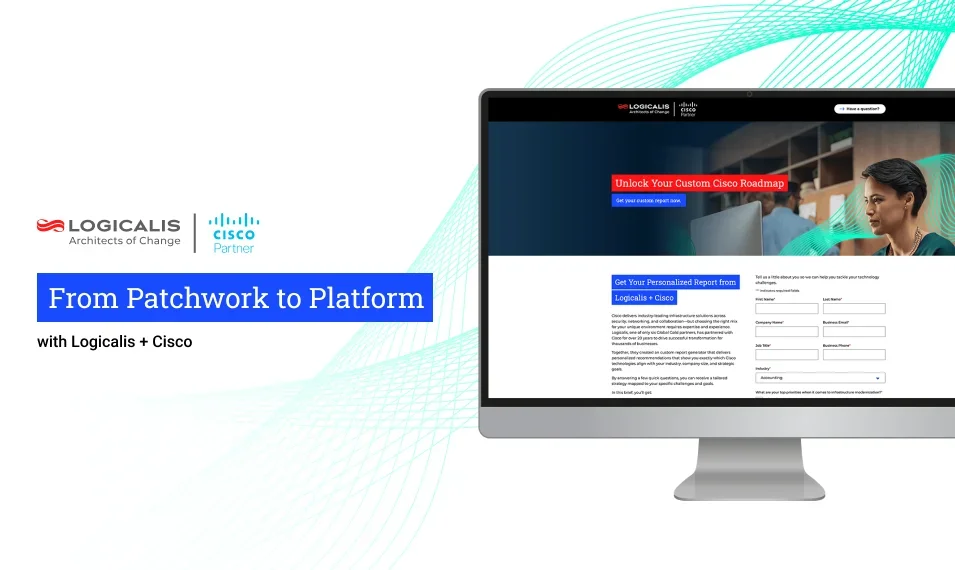
From Patchwork to Platform: How to Unify Infrastructure with Logicalis + Cisco
Production bottlenecks, skill deficits, and firefighting are just a few problems that emerge as this infrastructure "patchwork" grows more and more complex. Read this blog post to learn how Logicalis and Cisco have partnered to transform this patchwork into a unified digital fabric.
USA , Aug 18, 2025
Reflections from HPE Discover 2025: Hybrid IT Meets Your AI Ambitions
HPE is building the hybrid infrastructure which enables you to deploy AI and transform operations. This was the overall theme of this year’s HPE Discover. Read this blog to learn how HPE is redefining infrastructure to power the AI era.

USA , Jul 24, 2025
With Enterprise Storage, "Status Quo" Isn’t Enough
By consolidating silos and automating day-to-day operations, the right storage platform can help IT teams shift their focus from tedious maintenance and management to fueling innovation. Read on to see how Logicalis + Dell PowerStore can make that shift a reality.

USA , Jul 16, 2025
Cisco Live: Building Out Data Center Capacity for the Agentic AI Era
Read this post and learn how Logicalis+Cisco have embedded new AI enhancements to help your organization derive real value from next-generation networks, security, observability, and collaboration.
USA , May 29, 2025
Fortify Your Data Security with Microsoft Purview and Logicalis
With Microsoft Purview, organizations can fortify their data security with an integrated approach that helps prevent data loss, protect information, and manage inside risk.
USA , Dec 30, 2024
Move to the Cloud with Confidence
Organizations have never had a more compelling case for cloud migration, but what’s the right path forward? Microsoft Azure offers a proven solution.
USA , Dec 27, 2024
Securing the Digital Workplace
Cyberthreats grow more dangerous by the day, and organizations are struggling to keep up. Managed Extended Detection and Response (MXDR) tackles the problem with a combination of advanced tech and expert support.
USA , Dec 20, 2024
Unlocking AI-Driven Productivity in the Digital Workplace
Smarter workflows, faster access to information, and more focused, energized teams are all within reach. Here’s how businesses can harness the power of AI and overcome the challenges of adoption.
USA , Nov 6, 2024
Logicalis renews Microsoft Global Azure Expert MSP status, validating the highest possible standard of managed cloud services.
This accolade not only showcases Logicalis’ in-depth knowledge and proficiency in deploying, managing, and optimizing Azure-based solutions but also emphasizes our ability to deliver transformative outcomes for clients.
USA , Sep 11, 2024
Logicalis scales to new heights with Microsoft in FY24
With awards season behind us and an outstanding year of growth, customer outcomes and new capabilities, Logicalis has received significant recognition for our outstanding partnership with Microsoft in FY24.
USA , Sep 9, 2024
Circular logic –Why IT leaders need to embrace circularity for sustainable IT
IT leaders have a unique opportunity to drive substantial reductions in their organization’s carbon footprint while also realizing significant cost savings.
USA , Jul 26, 2024
Elevate Your Security Game: The Future Beyond Traditional VPNs
In the evolving landscape of cloud operations, a significant shift is underway: businesses are moving away from traditional VPN connections for end users. But why?
USA , Jul 2, 2024
Top Five Takeaways from HPE Discover
Logicalis and our clients immersed themselves in a wealth of knowledge and innovative solutions from HPE, sparking new ideas for implementation in our own environments. Here are the key takeaways from the event.
USA , Jun 25, 2024
Unlocking the full Potential of Data & AI with Logicalis, Kumulus, and Microsoft Fabric
To help data teams tackle these challenges, Logicalis has developed a solution with Microsoft Fabric to rapidly put data in the hands of the business teams, help unify data estates, generate more real-time visuals, and foster a data culture to scale value creation across the business.
USA , Jun 11, 2024
Recap of EBC Learnings
Over three days, our clients explored topics related to data and networking and learned about HPE technology solutions directly from the Logicalis and HPE subject matter experts. Keep reading for an in-depth recap of everything that was covered at the latest Logicalis and HPE executive briefing.
USA , Apr 18, 2024
A decade of insight reveals the future of tech leadership in the Logicalis Global CIO Report 2024
In the ever-changing landscape of tech leadership, we like to think of the Logicalis CIO Report as a steadfast guide, reflecting the pulse of change in the industry.
USA , Apr 10, 2024
Forrester Weighs in on the Benefits of Fortinet NGFW for Data Center and AI-Powered FortiGuard Security Services Solution
According to Forrester research, security decision-makers are implementing and expanding next-gen firewalls more than any other on-prem security service.
USA , Feb 2, 2024
In the Era of The Hyper-Distributed Enterprise, Organizations Realize the Strategic Value of Trusted Partners in Re-Architecting Network and Security Strategies
It’s a dynamic and exciting time in the enterprise networking industry. Change is afoot as organizations look to graduate beyond facilitating individual digital-business use cases to efficiently running a digital business at scale.
USA , Jan 22, 2024
How Private 5G Networks Can Unlock Enterprise App Potential and Accelerate Transformation
What drives enterprise application success? A straightforward question, with a not-so-obvious answer. Given that most enterprise app deployments today are driven by a specific outcome or value-based goal, it becomes easy to measure the impact on operational or business value once the project is completed. However, the harder question to answer is how does an organization go about achieving the best possible outcome?
USA , Jan 19, 2024
Navigating Future Networks with Intelligent Connectivity from Logicalis and Cisco
To help our customers simplify the complexity of networking and transformation, Logicalis partnered with Cisco to offer Intelligent Connectivity, a suite of managed solutions that include: Private 5G, SD-WAN, SASE and SSE .

USA , Dec 20, 2023
Logicalis named 2023 Cisco Global Enterprise Networking and Meraki Partner of the Year for the second consecutive year
As one of only six Cisco Global Gold Certified Partners, Logicalis is honored to receive this award for demonstrating innovation, driving engagement, and delivering greater value for our customers and communities, for a second year running.
USA , Dec 6, 2023
NetApp INSIGHT 2023: Top Takeaways and Announcements
From October the 23rd to the 25th, 2023, NetApp INSIGHT® brought together customers, partners, and the broader NetApp ecosystem in one place to network, learn about tech trends, explore NetApp’s latest products, and have fun.
USA , Dec 5, 2023
Logicalis named inaugural 2023 Cisco Global Sustainability Partner of the Year
This prestigious accolade acknowledges Logicalis’ exceptional sustainability achievements and success in helping customers reduce the environmental impact of their digital ecosystems across the globe.
USA , Dec 5, 2023
Logicalis’ Intelligent Connectivity solution now Powered by Cisco
Logicalis achieves the Cisco Powered validated service for Secure Access Service Edge (SASE) and SD-WAN status. This status means Logicalis is the only global gold partner that can deliver a managed SASE service to customers anywhere in the world!
USA , Nov 17, 2023
Why Private Wireless Networks? How LTE/5G Revolutionizes Industries
Wi-Fi or private LTE/5G? One isn’t a replacement for the other. Instead, think about which technology best addresses your business requirements.
USA , Aug 10, 2023
Modernizing Data Center Storage with NetApp AFF C-Series
To keep footprints and costs as small as possible, many IT and business leaders are shifting away from traditional storage media, towards modern solutions that are more compact, affordable, and energy efficient.
USA , Apr 20, 2023
4 Common Use Cases for Private 5G as a Service
Use cases for private 5G are growing, particularly outdoors/remote areas where Wi-Fi and public networks aren’t available. Read about 4 common use cases.
USA , Mar 22, 2023
Logicalis CloudCentralis: Your One-Stop Shop for Microsoft License Management
We are excited to announce the launch of Logicalis CloudCentralis, a one-stop platform for managing Microsoft licensing for Azure and Microsoft 365 products.

USA , Jan 25, 2023
Cybersecurity 101: Why SMBs Need MSPs in 2023
Many SMBs have outside managed services providers or MSPs. Why? 92% of IT leaders say that outsourcing better protects against cybersecurity incidents.



USA , Mar 30, 2021
How Our Military Employee Resource Group Supports Veterans
Logicalis’ Military Personnel Employee Resource Group (MPERG) helps us recruit, develop, and retain our veteran employees. Hear from our military employees.

USA , Nov 12, 2020
Cisco Recognizes Logicalis with Four 2020 Partner Awards
Cisco honors Logicalis, a Cisco Global Gold partner, with 4 awards for its innovation, leadership, and best practice as a Cisco business partner. Read article

USA , Jun 4, 2019
What is a Common Security Framework? (Updated for 2019)
There are a variety of frameworks in use today and we will look at a few in a minute. Choosing the right framework can be challenging with so many available options covering different priorities, vertical markets, and levels of complexity.

USA , Jan 4, 2019
Cloud Right vs. Cloud First: An “Eyes Wide Open” Approach
Having the right hybrid cloud strategy will keep your organization from investing in unnecessary risk and cost. Read the IDG-sponsored hybrid cloud white paper.

USA , Apr 7, 2017
What is a Common Security Framework (CSF)?
Common Security Frameworks were developed to address both issues – covering a wide area of security considerations across the entire enterprise. Here are some of the more common examples in use today.

USA , Oct 4, 2016
Integrated Collaboration: What is it, and why do I need it?
The Integrated Collaboration layer of our Collaborative Enterprise triangle consists of the following components; Mobility, Video, and Contact Center. Together they bring people in your world together and act as a robust system for the modern IT environment.

USA , Nov 13, 2013
4 major reasons some organizations are still reluctant to move to the cloud
In a world where computing is nearly synonymous with cloud, why is this 10% so hesitant to change? Our team came up with a few possible explanations.